
i think kube state metrics helm chart is a topic that sounds hard at first when i started learning Kubernetes monitoring i was also confused there were many tools and many commands i did not know where to start
we all want to see what is happening inside our Kubernetes cluster we want simple data we want clear numbers that is where kube state metrics helps
in this guide i will explain kube state metrics helm chart in very easy words if you are a beginner this article is for you we will learn what it is why we should use it and how we can install it using helm
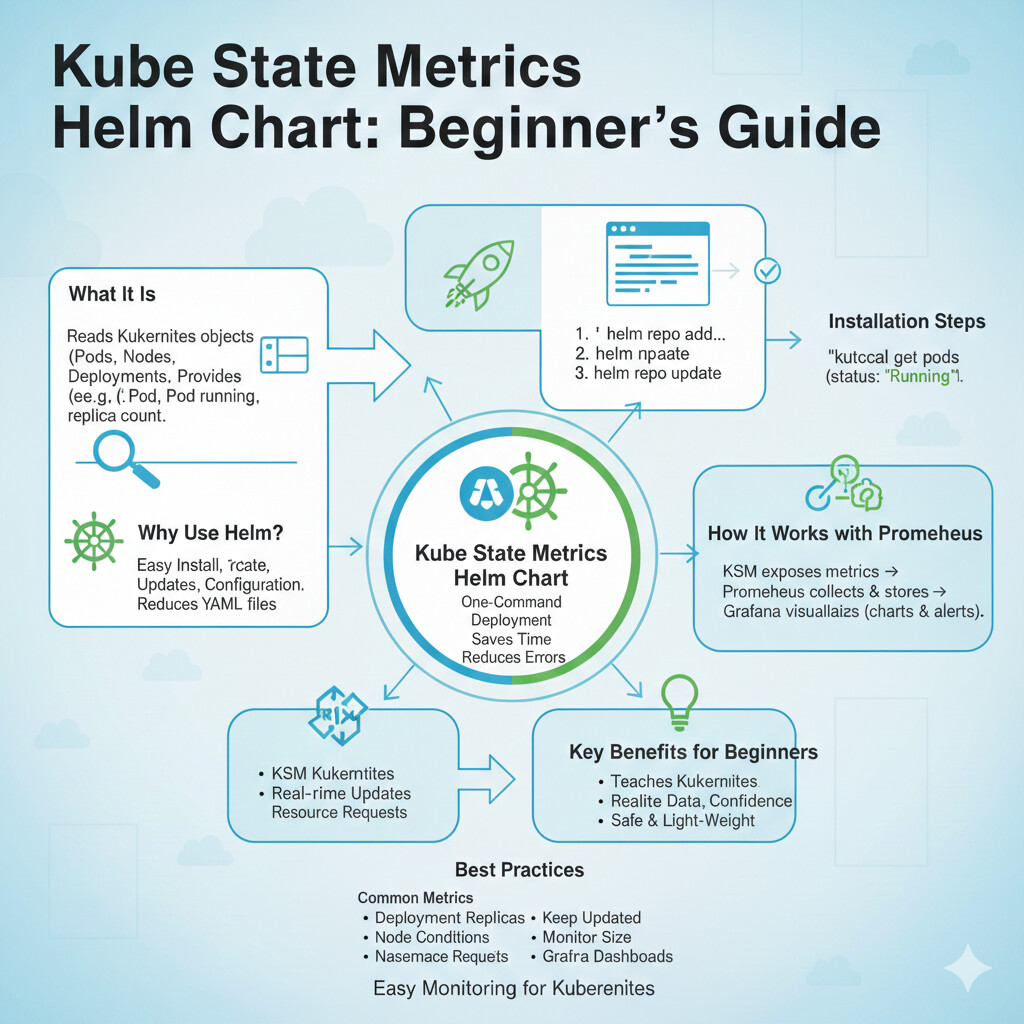
What Is Kube State Metrics
kube state metrics is a tool that reads data from Kubernetes it looks at objects like pods nodes deployments and services it does not check CPU or memory directly
it tells us the state of Kubernetes objects for example if a pod is running or stopped if a deployment has correct replicas that information is very important for monitoring
we use this data with tools like Prometheus that helps us see charts and alerts
Why We Use Helm Chart For Kube State Metrics
helm is a package manager for Kubernetes i think helm makes life easy without helm we need to write many YAML files
with helm chart we install kube state metrics in minutes we also manage updates easily we can change settings without fear
if you are new to Kubernetes helm is the best way to start
What Is Kube State Metrics Helm Chart
kube state metrics helm chart is a ready made package it contains all files needed to deploy kube state metrics it includes deployments services and configurations
we just run one command helm installs everything for us this saves time this reduces mistakes
i always prefer helm when working on production clusters
Requirements Before Installation
before installing kube state metrics helm chart we should check some basic things
you should have a running Kubernetes cluster kubectl should be installed helm should be installed you should have cluster access
if these are ready we can move forward safely
How I Install Kube State Metrics Using Helm
i think this is the most important part i will explain step by step
first we add the helm repository
helm repo add prometheus community https prometheus community github io helm charts
then we update helm repo
helm repo update
now we install kube state metrics
helm install kube state metrics prometheus community kube state metrics
after this kube state metrics will be running in your cluster
i remember when i did this first time i was surprised how easy it was
How To Check If Installation Is Successful
after installation we should always verify
run this command
kubectl get pods
you should see kube state metrics pod running if pod status is running then installation is successful
this step gives peace of mind
How Kube State Metrics Works With Prometheus
kube state metrics alone does not show charts it only exposes metrics
Prometheus collects these metrics Prometheus stores the data then we use tools like Grafana
i think this setup is perfect it gives full visibility
if Prometheus is already installed it will automatically scrape kube state metrics
Common Metrics Provided By Kube State Metrics
kube state metrics gives many useful metrics
pod status deployment replicas node conditions namespace details resource requests
these metrics help us understand cluster health we can find problems early that saves time and cost
Why Beginners Should Use Kube State Metrics
i think beginners should use this tool early
it teaches how Kubernetes works it shows real data it improves learning
if you wait too long monitoring becomes scary but starting early builds confidence
Performance And Safety
kube state metrics is safe to use it does not overload the cluster it only reads data
still we should monitor resource usage helm chart allows limits settings
this keeps cluster stable
Common Problems And How I Fix Them
sometimes pod does not start usually it is permission issue
check RBAC settings check namespace check logs
kubectl logs pod name
most problems are small reading logs helps a lot
Best Practices I Follow
i always install kube state metrics with helm i keep chart updated i monitor metrics size i use Grafana dashboards
these habits keep monitoring clean
FAQs
What is the kube state metrics helm chart?
it is a helm package that installs kube state metrics easily in Kubernetes
Is kube state metrics good for beginners?
yes it is perfect for beginners because it shows cluster state clearly
Do we need Prometheus with kube state metrics?
yes Prometheus is needed to collect and store metrics
Is kube state metrics safe for production?
yes it is safe and widely used in production clusters
Should we use a helm for installation?
yes helm is the easiest and safest method
Conclusion
i think kube state metrics helm chart is one of the best tools for Kubernetes monitoring it is simple it is powerful and it is beginner friendly
we should use helm because it saves time it reduces errors and it makes updates easy
if you want better visibility if you want confidence in your cluster then kube state metrics is a must
i personally use it in every setup and i always recommend it to beginners